
The Step-by-Step Guide to Virtual Staging for Special Needs Housing Development Teams
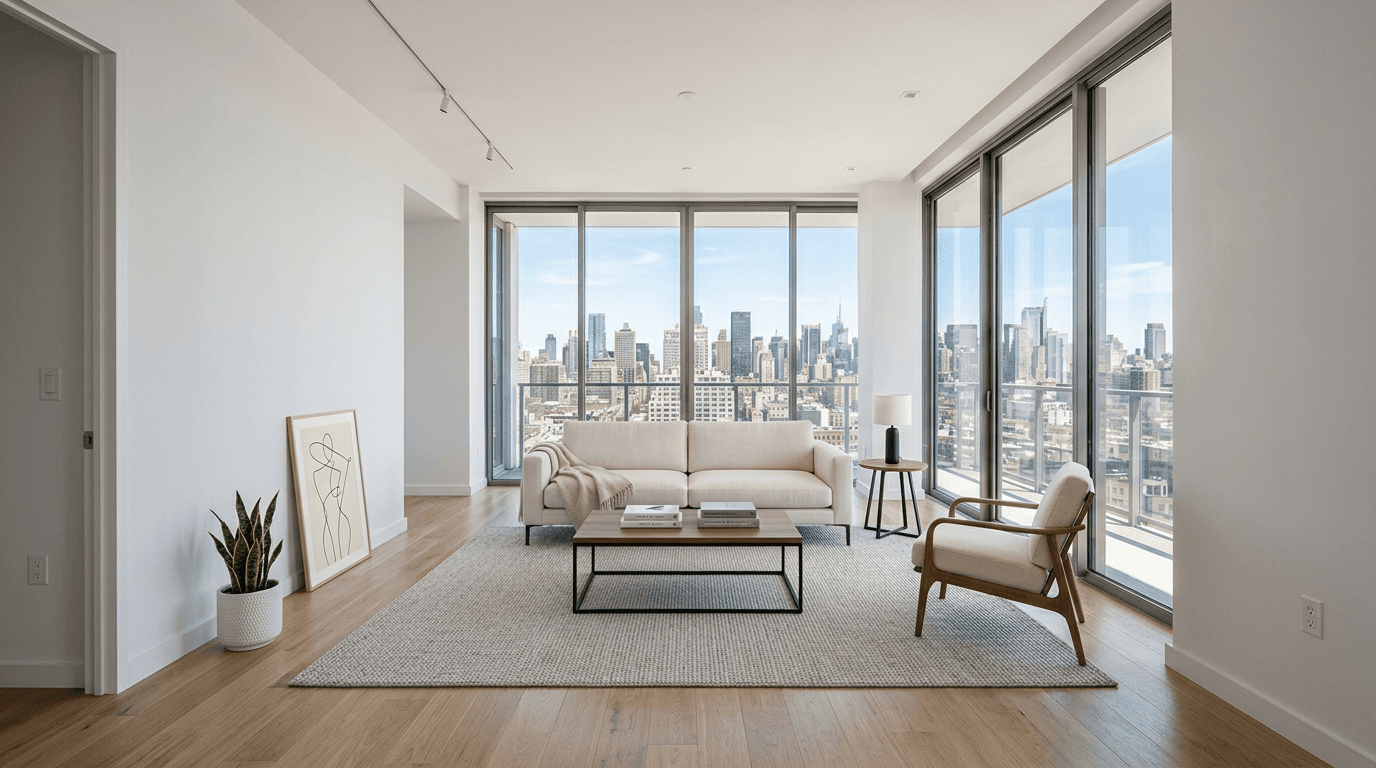
Virtual staging has become one of the most effective tools available to special needs housing development teams because it solves a uniquely difficult communication problem: how to present accessibility, safety, and dignity in a way that feels welcoming rather than institutional. In 2026, families, referral partners, nonprofit boards, grant reviewers, municipal stakeholders, and community advocates expect more than floor plans and empty-room photography. They need to see how a residence will support daily living, independence, comfort, and belonging. For developers and nonprofit-affiliated teams creating supportive housing for residents with developmental or physical disabilities, the challenge is especially sensitive. If images focus too heavily on compliance features alone, the property can feel clinical and impersonal. If visuals lean too far into aspirational design without demonstrating practical accessibility, trust erodes quickly. The strongest virtual staging strategy bridges that gap by showing homes as functional, respectful, and genuinely livable spaces where residents can thrive. This guide explains exactly how to use virtual staging to communicate accessibility without sterility, build family confidence, align visual messaging with regulatory realities, and create marketing assets that honor both resident needs and the emotional decision-making process behind supportive housing placement and investment.
According to recent staging metrics by the National Association of Realtors (NAR), professionally staged properties can significantly increase sales speed and perceived value, accelerating the impact for your specific niche.
Step 1: Define the resident profile, care model, and trust objective before staging a single room
The biggest mistake special needs housing development teams make with virtual staging is treating it as a decorative marketing add-on rather than a strategic communication system. Before selecting furniture styles, colors, or room layouts, your team needs to define exactly who the housing serves, what daily support model the development is designed around, and what trust barriers your visuals must overcome. A residence for adults with developmental disabilities who benefit from routine and low-sensory environments requires a different visual story than a supportive housing community designed for residents with mobility impairments, neurodivergent tenants, or mixed-ability households receiving varying levels of assistance. Families are not just evaluating beauty; they are trying to imagine safety, autonomy, staff appropriateness, privacy, and emotional comfort. Funders and nonprofit partners are not merely looking for polished images; they are assessing whether your development appears intentionally designed for dignity and long-term functionality. That means your staging brief should begin with resident realities: turning radiuses, transfer space, visual calm, intuitive navigation, seating stability, lighting comfort, communal participation, and opportunities for independence. It should also identify the emotional message each space needs to carry. A bedroom may need to communicate privacy and control, while a kitchen should convey supervised independence and usability. Common areas may need to signal community without crowding, and bathrooms may need to demonstrate accessibility without making the image feel cold or medicalized. By clarifying these priorities first, your team prevents generic staging choices that undermine credibility. Instead of asking, "How do we make this room look full?" ask, "What must families, residents, and partners understand from this image within five seconds, and how do we make that understanding feel human?" That framing transforms virtual staging from surface-level marketing into a resident-centered visual strategy rooted in empathy, operations, and trust.
Action Step
Create a written virtual staging brief that identifies your target resident profile, support model, accessibility priorities, and the emotional trust goal for each room type before any images are produced.
Step 2: Stage for accessibility that is visible, realistic, and integrated into everyday living
Once your resident profile and communication goals are defined, the next step is to ensure that every staged image reflects accessibility as an organic part of residential life rather than as an isolated compliance feature. This is where many supportive housing visuals fail. Teams often either hide accessibility elements because they worry the property will look too clinical, or they overemphasize them in a way that makes the home seem institutional. The highest-performing virtual staging strikes a deliberate middle ground by presenting accessible living as normal, beautiful, and thoughtfully integrated. That requires using layouts and furnishings that visibly preserve maneuverability, maintain clear circulation paths, respect realistic furniture scale, and avoid decorative clutter that would make a room difficult to navigate for a resident using mobility aids or requiring staff assistance. In bedrooms, for example, your staging should leave enough side clearance to suggest ease of transfer and support while still feeling personal and warm through bedding, artwork, and restrained décor. In kitchens, show accessible counter access, reachable storage zones, logical appliance spacing, and seating arrangements that imply participation rather than exclusion. Bathrooms should be rendered with enough realism to communicate usability and safety, but the surrounding design choices should reinforce dignity through residential finishes, balanced lighting, and calm styling. Importantly, realism matters more than idealization. Families and case managers quickly detect visuals that ignore actual accessibility needs or create beautiful but impractical arrangements. They may not use technical design language, but they will sense when a room appears impossible to use comfortably. Your virtual staging must therefore honor actual dimensions, likely movement patterns, and the lived rhythms of residents and caregivers. When accessibility is shown as seamlessly embedded in daily life, you accomplish something powerful: you demonstrate competence without sacrificing warmth, and you reassure viewers that the development was designed by people who truly understand supportive living.
Action Step
Review each staged room for clear accessibility cues, realistic circulation space, and practical furniture placement so the home looks both usable and welcoming.
Step 3: Use design choices that communicate dignity, calm, and belonging instead of institutional care
For special needs housing development teams, aesthetics are never just aesthetic. Every visual choice sends a message about how residents will be perceived and treated inside the community. If your virtual staging feels generic, sparse, overly medical, or visibly cost-driven, viewers may conclude that resident experience was not a core priority. Conversely, if your imagery feels luxurious but disconnected from sensory, mobility, or support needs, it can appear performative and untrustworthy. The goal is to create images that embody dignity, calm, and belonging through intentional residential design language. Start with color and texture. Warm neutrals, gentle contrast, natural materials, and balanced lighting often communicate stability and comfort better than stark white spaces or trendy high-drama interiors. Then consider sensory implications. Overstimulating patterns, excessive décor, cramped groupings, or disorienting visual noise can subtly alienate families seeking supportive, regulated environments. Furnishings should feel durable, comfortable, and appropriately scaled, with visual cues that suggest ease of use and emotional safety. Artwork and decorative details should humanize the space without infantilizing residents or leaning on stereotypes about disability or care settings. A supportive housing unit should look like a real home for adults or age-appropriate residents, not a showroom or a therapy room. In communal spaces, staging should help people imagine meaningful participation: conversation areas that allow personal space, dining setups that imply social inclusion, and lounges that feel calm rather than crowded. If your project serves residents with developmental disabilities, this may mean emphasizing predictability and order. If your development supports residents with physical disabilities, visual emphasis may be placed on comfort, reachability, and unobstructed independence. Across all scenarios, the deeper principle remains the same: your images should make people feel that the housing was designed with respect for personhood, not merely for occupancy. This emotional resonance is what transforms technically acceptable presentation into trust-building visual communication that families, staff, and partners remember.
Action Step
Audit your staging style for anything that feels institutional, infantilizing, cluttered, or overly aspirational, and replace it with warm, age-appropriate, calm residential design cues.
Step 4: Align virtual staging with compliance, operations, and stakeholder scrutiny so visuals build credibility
In supportive housing development, images are rarely consumed in isolation. They are viewed alongside accessibility narratives, capital campaign materials, planning documents, grant applications, municipal reviews, fundraising decks, referral outreach, and family-facing leasing communications. That means your virtual staging has to do more than look compelling; it must hold up under scrutiny from people who care about regulation, operations, and service delivery. A beautiful image that visually contradicts your accessibility commitments or operational model can create confusion, trigger skepticism, and weaken confidence in the entire project. To prevent that, your development, design, and communications teams should treat virtual staging as a cross-functional review process. Confirm that staged layouts do not imply dimensions or uses that would be inconsistent with actual plans. Make sure assistive-friendly circulation is preserved in a way that aligns with expected occupancy and support staffing patterns. If you are showcasing common spaces, ask whether the furniture arrangement reflects realistic supervision, resident interaction, and emergency movement needs. If bedrooms are staged with desks, seating, or storage, consider whether the depiction supports your intended resident routines and available space. Even subtler issues matter. For example, a staged room that appears too crowded may undermine your claims of accessibility, while imagery that omits cues of supportive living altogether may fail to reassure the families and agency partners who need evidence of thoughtful accommodation. Captions, labels, and adjacent website copy should reinforce that visuals are representative and intentionally designed to illustrate livability, accessibility, and resident dignity. When your staging is operationally accurate and messaging-consistent, it becomes an asset not only for marketing, but for stakeholder alignment. It tells every audience, from parents to public officials, that your team understands both compliance and humanity, and that your project can be trusted because its visual story matches its real-world intent.
Action Step
Run every staged image through a joint review with development, design, operations, and communications stakeholders to verify accuracy, accessibility alignment, and message consistency.
Step 5: Deploy staged visuals across family, community, and funding channels with context that deepens trust
The final step is distribution, and this is where many teams leave value on the table. Even excellent virtual staging underperforms if it is used only as a static website gallery without audience-specific context. Special needs housing development teams should think of staged visuals as multi-purpose trust assets that support family decision-making, donor confidence, partner education, and community acceptance. On family-facing pages, staged images should help answer emotionally urgent questions: Will my loved one be safe here? Will this feel like home? Is there room for dignity, privacy, and routine? Pairing imagery with short explanatory copy about accessibility, daily living support, sensory comfort, or resident independence can make the visuals far more meaningful than presentation alone. In fundraising and nonprofit communications, use staged images to show the real human impact of design decisions, connecting donor support to environments that foster stability and belonging. For municipal, community, or neighborhood engagement, virtual staging can reduce resistance by helping stakeholders see supportive housing as thoughtfully integrated residential development rather than an abstract or misunderstood concept. Referral partners, clinicians, and case managers can also benefit from visuals that clarify how spaces support resident functioning. The key is to maintain consistency while tailoring emphasis. The same bedroom image may be framed for one audience around independence and comfort, and for another around design quality and mission delivery. Your team should also update image usage as the project advances, making sure staged visuals remain aligned with final finishes, actual layouts, and occupancy messaging. When distributed strategically, virtual staging becomes more than marketing collateral. It becomes a bridge between technical development work and the deeply emotional, values-driven decisions made by families, funders, and service partners who need to believe in the environment before they ever step inside it.
Action Step
Build a channel-by-channel plan for using staged visuals on your website, fundraising materials, family outreach, referral communications, and community presentations with tailored explanatory copy for each audience.
Explore More Resources
Conclusion
Virtual staging can be a transformative tool for special needs housing development teams when it is approached as a trust-building, resident-centered strategy rather than a cosmetic marketing tactic. The most effective projects begin by defining who the housing serves and what concerns the visuals must resolve, then stage rooms in ways that show accessibility as natural, integrated, and livable. From there, design choices should communicate dignity, calm, and belonging, while every image is reviewed for alignment with compliance realities, operations, and stakeholder expectations. Finally, those visuals must be deployed intentionally across family, funding, referral, and community channels so they answer the real questions people bring to supportive housing decisions. When done well, virtual staging helps teams show that accessible housing can also be warm, respectful, and deeply residential, which is exactly the combination that builds confidence in both the project and the mission behind it.
Ready to Stage Your First Room?
Join thousands of top real estate professionals who use AI Virtual Staging to instantly transform vacant photos into fully-furnished masterpieces in under 20 seconds.
Start Staging For FreeFrequently Asked Questions
How is virtual staging different from standard real estate marketing for supportive housing?
Virtual staging for supportive housing must do more than make rooms look attractive. It needs to visually communicate accessibility, safety, dignity, and realistic daily living for residents with developmental or physical disabilities. Unlike standard real estate marketing, the goal is not simply to create aspirational lifestyle imagery, but to build trust among families, funders, nonprofit boards, referral partners, and public stakeholders who are evaluating whether the environment truly supports resident well-being.
Can virtual staging show accessibility without making the property feel clinical?
Yes, and that is one of its greatest advantages when handled correctly. The best virtual staging integrates accessibility into warm, residential scenes by preserving clear circulation, realistic furniture spacing, practical room layouts, and age-appropriate décor. Instead of hiding accessibility or overemphasizing it in a medicalized way, strong staging makes it feel like a natural part of everyday home life.
What rooms should special needs housing teams prioritize first for virtual staging?
Teams should usually prioritize the spaces that carry the most trust-building value: bedrooms, kitchens, bathrooms, and shared living areas. Bedrooms help families assess privacy and comfort, kitchens demonstrate independence and usability, bathrooms communicate safety and dignity, and common areas show how social interaction and support may function in practice. The right priority order depends on your resident profile and the concerns most important to your stakeholders.
Should virtual staging include visible assistive elements or keep them subtle?
Visible assistive-friendly cues are often beneficial as long as they are realistic and integrated thoughtfully. The goal is not to overwhelm the image with medical signals, but to avoid creating a scene that appears inaccessible or disconnected from resident needs. Depending on the project, this may mean showing furniture spacing, clear pathways, supportive seating, accessible bathroom layouts, or other practical design details that reinforce usability without sacrificing warmth.
How can nonprofit-affiliated development teams use virtual staging in fundraising and community outreach?
Virtual staging helps nonprofit-affiliated teams translate plans into emotionally resonant, easy-to-understand visuals. In fundraising, it shows donors how design choices support dignity, stability, and independence. In community outreach, it helps neighbors and public officials see the development as high-quality residential housing rather than an abstract concept. In both cases, images become more persuasive when paired with concise explanatory messaging about accessibility, livability, and resident-centered design.
Explore More Guides
Continue building your real estate expertise.
The Step-by-Step Guide to Virtual Staging for Master-Planned Community Homebuilder Marketing Teams
An authoritative 2026 step-by-step guide for master-planned community homebuilder marketing teams using virtual staging to scale listings, model promotions, and quick move-in home marketing across multiple floorplans, elevations, and phases.
The Step-by-Step Guide to Virtual Staging for Equine Property Brokers
An authoritative 2026 step-by-step guide for equine property brokers on using virtual staging to market horse farms, equestrian estates, training facilities, and ranch properties with interiors that support premium rural lifestyle positioning and equestrian identity.
The Step-by-Step Guide to Virtual Staging for Student Housing Property Managers
An authoritative step-by-step guide for student housing property managers on using virtual staging to lease faster, refresh repetitive floor plans, and market effectively to both students and parents in 2026.
The Step-by-Step Guide to Virtual Staging for Self-Storage Facility Conversion Developers
An authoritative 2026 step-by-step guide for self-storage facility conversion developers on using virtual staging to visualize adaptive reuse projects, win approvals, secure investors and lenders, and lease ancillary office or retail frontage.
The Step-by-Step Guide to Virtual Staging for Mid-Century Modern E-Designers
An authoritative 2026 step-by-step guide for mid-century modern e-designers on using virtual staging to create visually precise client presentations, communicate design intent remotely, and win more residential projects with compelling imagery.
The Step-by-Step Guide to Virtual Staging for Fraternity and Sorority House Property Owners
An authoritative 2026 step-by-step guide for fraternity and sorority house property owners on using virtual staging to improve recruitment, leasing, and marketing results with polished, realistic visuals.