
The Step-by-Step Guide to Virtual Staging for Assisted Living Occupancy Marketing Teams
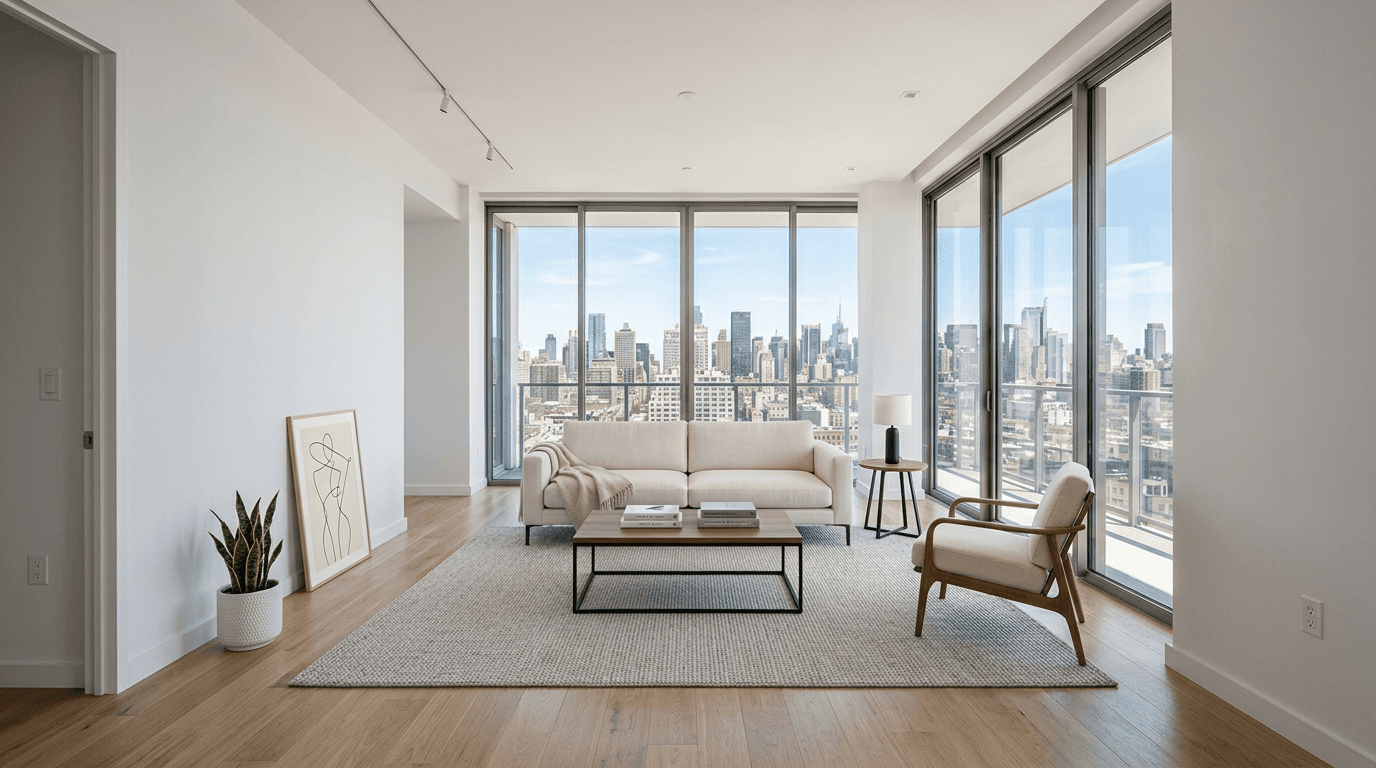
Virtual staging has become one of the most practical and high-impact tools available to assisted living and independent living occupancy marketing teams in 2026 because it directly solves a persistent conversion problem: vacant suites rarely photograph the way prospects need them to feel. A bare apartment may be clean, bright, and technically market-ready, yet still come across online as cold, clinical, echoing, dated, or emotionally hard to imagine living in. For families comparing multiple communities in a short decision window, that lack of warmth can suppress clicks, reduce inquiry confidence, and make an otherwise excellent floor plan seem less desirable than it truly is. The strongest senior living marketing teams now use virtual staging not as decoration, but as a strategic occupancy tool that helps prospects visualize comfort, safety, independence, and hospitality without the time, labor, and recurring cost of physically re-staging every unit type. When done correctly, virtual staging supports faster lease-ups, stronger first impressions, greater consistency across campaigns, and more persuasive storytelling for both residents and adult children. This guide explains exactly how occupancy-focused teams can build a repeatable virtual staging process that improves image quality, protects trust, and turns vacant inventory into emotionally resonant marketing assets.
According to recent staging metrics by the National Association of Realtors (NAR), professionally staged properties can significantly increase sales speed and perceived value, accelerating the impact for your specific niche.
Step 1: Start with an occupancy-first visual strategy, not just prettier photos
The most successful assisted living occupancy marketing teams do not begin virtual staging by asking what furniture looks attractive; they begin by defining what specific leasing problem each image needs to solve. In senior living, photography is not merely aesthetic branding. It is a trust-building device that must help adult children, future residents, and referral partners quickly understand how a suite supports daily life, comfort, and dignity. That means your visual strategy should be organized around floor plan inventory, current vacancy pressure, unit mix, care level, price point, and the emotional objections prospects typically voice during tours and follow-up calls. A studio or one-bedroom in independent living may need to communicate lifestyle, light, and flexibility, while an assisted living suite may need to convey ease of navigation, supportive layout, warmth, and a refined but realistic sense of home. Before any image is staged, marketing teams should map which units drive the most inquiries, which units sit vacant longest, and which visual gaps exist across the website, ILS listings, brochures, paid social campaigns, sales emails, and community presentation decks. This planning stage is also where teams should define brand style standards so the staged visuals feel aligned with the community’s positioning, whether that is upscale hospitality, approachable comfort, or practical value. When virtual staging is grounded in occupancy goals, it stops being a design experiment and becomes a measurable part of demand generation, helping teams create visuals that support higher click-through rates, stronger tour intent, and fewer lost prospects who simply could not picture the suite as a real home.
Action Step
Audit your current vacant unit inventory, identify the floor plans that most need inquiry lift, and create a brand-aligned visual brief for each unit type before ordering any virtual staging.
Step 2: Capture base photography that is accurate, bright, and staging-ready
Virtual staging can only perform as well as the source imagery behind it, which is why assisted living marketing teams need a disciplined photography standard before they ever send files to a staging partner. A common mistake is trying to rescue poor photos with digital furnishings, only to end up with an unrealistic final image that damages trust and still fails to convert. Base photos should show the true dimensions, window placement, flooring condition, closet access, bathroom adjacency, and natural light pattern of the suite, because senior living prospects and their families are especially sensitive to anything that feels misleading. In practical terms, this means photographing every target floor plan when the unit is clean, empty, well-lit, and free of maintenance distractions such as scuffed walls, visible cords, patchwork, construction materials, or temporary signage. Camera angles should prioritize usability and spatial clarity over dramatic distortion; overly wide lenses may make a compact room seem larger online but can create disappointment during tours and increase friction for the sales team. It is also important to capture multiple viewpoints for each unit type, including the primary living area, bedroom space, kitchenette if applicable, bath entry sightlines, and any feature that supports decision-making such as large windows or accessible layouts. Occupancy teams should collaborate with operations and maintenance so photos are taken only after turn preparation meets marketable standards, because virtual staging should enhance a quality-ready suite, not conceal preventable issues. When your photography is clean, consistent, and operationally honest, the final staged images will feel credible, polished, and useful across every channel from website galleries to CRM follow-up, giving prospects a stronger and more trustworthy visual starting point for conversion.
Action Step
Create a staging-ready photo checklist for every vacant suite and schedule fresh photography only after each unit is fully turned, cleaned, repaired, and properly lit.
Step 3: Design virtual staging that reflects senior living reality while elevating emotional appeal
The most effective virtual staging for assisted living and independent living communities balances aspiration with accuracy, creating imagery that feels warm, modern, and hospitality-inspired without drifting into a lifestyle fantasy that the actual resident experience cannot support. This is especially important in senior living because the audience is evaluating more than décor; they are assessing safety, comfort, dignity, ease of movement, and whether the environment feels emotionally suitable for the next chapter of life. Marketing teams should choose furnishings, color palettes, artwork, rugs, and accessories that soften the apartment and help it feel lived-in, but the scale and placement must remain believable for older adults. A room should not be overcrowded with trendy pieces, visually confusing décor, or layouts that appear to obstruct mobility aids, seating access, or circulation space. Instead, well-executed senior living staging uses clean-lined furniture, inviting textiles, tasteful lighting cues, and modest decorative touches that suggest hospitality and home without creating clutter. It should also align with the actual resident profile: an upscale independent living prospect may respond to sophisticated finishes and conversational seating, while an assisted living prospect and family may connect more strongly with calm, reassuring imagery that emphasizes comfort and practicality. Teams should be intentional about inclusivity and avoid staging styles that feel too youthful, sterile, or generic apartment-market focused. Whenever possible, build a library of approved style directions by unit type so campaigns remain consistent over time. The goal is to help viewers imagine daily routines, hosting family, reading near a window, or relaxing in a familiar environment. When virtual staging creates emotional resonance within the boundaries of truth, it becomes one of the most persuasive visual tools in the occupancy funnel.
Action Step
Approve one to three senior-living-appropriate virtual staging style templates that prioritize warmth, realism, clear mobility pathways, and brand consistency across all floor plans.
Step 4: Use staged images across the full occupancy funnel and measure what actually drives inquiries
Virtual staging delivers the greatest return when it is treated as a conversion asset across the entire occupancy funnel rather than as a one-time website enhancement. Once marketing teams have strong staged visuals, they should systematically deploy them everywhere prospects make early judgments about the community, including floor plan pages, unit availability listings, community websites, Google Business photo sets where appropriate, paid social creative, display retargeting, email nurturing, referral outreach materials, digital brochures, sales presentation decks, and follow-up messages sent after an initial inquiry. In senior living, families often revisit the same images multiple times while comparing options, sharing links with siblings, and preparing for tours, so consistency across channels can materially improve recall and confidence. However, distribution alone is not enough. Occupancy teams should connect staged image usage to measurable outcomes such as higher click-through rates on floor plan pages, improved landing page engagement, lower bounce rates on unit detail pages, more form fills, stronger tour-to-inquiry ratios, and faster conversion on previously hard-to-lease layouts. A robust test framework is especially valuable: compare unstaged versus staged suite galleries, hospitality-style staging versus more traditional residential styling, or different hero images for identical unit types in paid campaigns. Sales teams should also provide qualitative feedback, since they are often first to hear whether prospects mention that a suite “finally felt livable” or that the imagery helped them imagine move-in. When performance data is reviewed regularly, virtual staging becomes a scalable marketing system tied directly to occupancy outcomes, enabling teams to allocate budget toward the images, floor plans, and channels that produce the strongest leasing momentum.
Action Step
Publish staged images across your highest-traffic marketing channels and set up reporting to compare inquiry, click, engagement, and tour metrics before and after deployment.
Step 5: Protect trust with clear standards, compliance awareness, and an ongoing refresh process
In assisted living and independent living marketing, trust is the currency that determines whether a family keeps moving forward, which means virtual staging must always be governed by transparency, operational alignment, and clear internal standards. The purpose of staging is to help prospects visualize potential, not to misrepresent dimensions, hide defects, imply included furnishings that do not exist, or create expectations that the on-site experience cannot fulfill. Marketing teams should establish written guidelines covering what may be digitally added, what must remain visibly accurate, how images should be labeled when appropriate, and how leasing teams should discuss virtually staged units during calls and tours. If local regulations, platform policies, or internal legal review require disclosure, that language should be standardized and used consistently. Just as important, communities should create a review workflow involving marketing, operations, and sales so staged assets reflect current finishes, actual apartment configurations, and the real resident journey. This matters especially when renovations, flooring changes, cabinet updates, or unit upgrades occur, because outdated staged imagery can quickly undermine credibility. Teams should also refresh visuals when branding evolves or when market expectations shift, which they often do as competitive communities adopt more sophisticated hospitality-style presentation. An annual or semiannual audit of suite imagery, by floor plan and care level, helps ensure that photos remain accurate, relevant, and persuasive. By treating virtual staging as a governed, living asset rather than a static creative file, occupancy teams preserve the confidence of prospects and referral partners while sustaining a high-quality marketing presence that supports long-term lease-up performance.
Action Step
Document a virtual staging policy that covers realism, disclosure, internal approvals, sales team usage, and a recurring schedule for auditing and refreshing staged suite images.
Explore More Resources
Conclusion
For assisted living occupancy marketing teams, virtual staging is no longer a cosmetic upgrade; it is a strategic way to turn vacant, hard-to-imagine suites into persuasive visual assets that support inquiry growth and faster move-ins. When teams begin with occupancy goals, capture accurate photography, apply senior-living-appropriate design, distribute images across the full funnel, and protect trust through strong internal standards, virtual staging becomes both scalable and measurable. The result is a more emotionally resonant presentation of each floor plan, stronger alignment between marketing and sales, and a better chance that prospects and families will see not just an empty apartment, but a credible future home.
Ready to Stage Your First Room?
Join thousands of top real estate professionals who use AI Virtual Staging to instantly transform vacant photos into fully-furnished masterpieces in under 20 seconds.
Start Staging For FreeFrequently Asked Questions
Why is virtual staging especially effective for assisted living and independent living marketing?
Because senior living decisions are highly emotional and often made under time pressure, prospects need help imagining how a vacant suite could actually feel as a home. Virtual staging adds warmth, context, and hospitality-style cues that make empty apartments more relatable without the recurring cost and logistics of physical staging.
Should virtually staged images be disclosed in senior living marketing?
In many cases, yes, or at minimum teams should have a clear policy based on legal review, platform requirements, and brand transparency standards. The key principle is that images must remain accurate to the unit’s actual layout, finishes, and features so prospects are not misled.
What kinds of rooms or floor plans should occupancy teams prioritize first?
Start with the unit types that have the most vacancies, the longest average days-to-fill, the highest website traffic, or the weakest inquiry-to-tour conversion. Prioritizing these floor plans allows teams to test impact quickly and direct budget toward the greatest occupancy opportunity.
Can virtual staging replace professional photography?
No. Virtual staging enhances strong base photography, but it cannot reliably fix poor lighting, distorted angles, visible maintenance problems, or inaccurate room representation. High-quality source images are essential if the final visuals are going to look credible and convert well.
How can marketing teams measure whether virtual staging is working?
Track performance before and after deployment by reviewing metrics such as click-through rates on unit pages, time on page, form submissions, tour requests, email engagement, and leasing velocity for targeted floor plans. Pair those metrics with sales team feedback to understand how imagery influences real prospect behavior.
Explore More Guides
Continue building your real estate expertise.
The Step-by-Step Guide to Virtual Staging for Luxury Barndominium Builders and Brokers
An authoritative 2026 step-by-step guide for luxury barndominium builders and brokers on using virtual staging to market high-end rural residences, clarify unconventional layouts, and elevate perceived value.
The Step-by-Step Guide to Virtual Staging for Mansion Tax Exodus Seller Brokerages
An authoritative 2026 step-by-step guide for brokerages serving high-end sellers exiting mansion-tax and high-tax markets, showing how to use virtual staging to refresh vacant luxury listings, attract out-of-market buyers, and accelerate premium home sales.
The Step-by-Step Guide to Virtual Staging for Distressed Condo Association Receivership Specialists
An authoritative 2026 step-by-step guide for distressed condo association receivership specialists on using virtual staging to market neglected condominium assets, demonstrate recovery potential, support lender communication, and accelerate sales or lease-up outcomes.
The Step-by-Step Guide to Virtual Staging for Modular Home Manufacturers Sales Teams
An authoritative step-by-step guide for modular home manufacturers sales teams on using virtual staging to showcase model variations faster, support dealer networks, reduce photography lag, and help buyers compare finishes and furniture styles in 2026.
The Step-by-Step Guide to Virtual Staging for Tenant-Occupied Duplex and Triplex Listing Specialists
An authoritative 2026 step-by-step guide for agents marketing tenant-occupied duplexes and triplexes using virtual staging to overcome privacy limits, inconsistent showings, and buyer uncertainty around layout and rent-growth potential.
The Step-by-Step Guide to Virtual Staging for Attorney-Owned Office Condo Landlords
An authoritative 2026 step-by-step guide for attorney-owned office condo landlords on using virtual staging to lease or sell office suites faster, elevate perceived value, modernize outdated interiors, and market professional spaces without a full commercial real estate team.